

Close Menu
  • Tech Insights
  • Laptops
  • Mobiles
  • Gaming
  • Apps
  • Money
  • Latest in Tech
Facebook X (Twitter) Instagram
TechzLab – Tech News, Gadgets, Mobile, IT Updates & ReviewsTechzLab – Tech News, Gadgets, Mobile, IT Updates & Reviews
  • Tech Insights
  • Laptops
  • Mobiles
  • Gaming
  • Apps
  • Money
  • Latest in Tech
TechzLab – Tech News, Gadgets, Mobile, IT Updates & ReviewsTechzLab – Tech News, Gadgets, Mobile, IT Updates & Reviews
Home » Google Brings NotebookLM to Gemini for Easy Project Organization
Mobiles

Google Brings NotebookLM to Gemini for Easy Project Organization

By April 14, 2026No Comments3 Mins Read
Facebook Twitter Pinterest LinkedIn Tumblr Email
Share
Facebook Twitter LinkedIn Pinterest Email
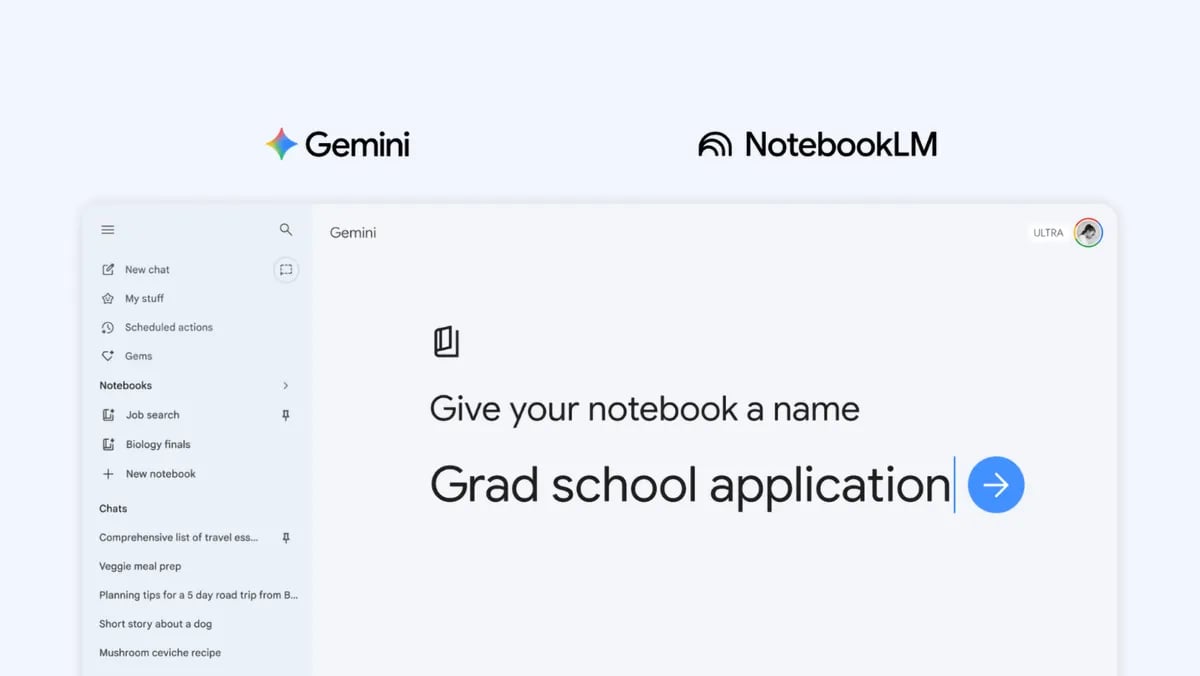
Google Gemini and NotebookLM interface showing a new notebook titled 'Grad school application' with sidebar navigation for chats and notebooks.
Image: Google

Gemini is getting a productivity boost as Google adds notebooks to the platform, a feature designed to turn scattered chats into structured projects.

The tech giant on Wednesday announced an update to deepen the connection between Gemini and its AI research tool, NotebookLM, by introducing notebooks that serve as centralized project hubs across both platforms. The integration will now enable users to group conversations, documents, and instructions into a single workspace.

The update gives Gemini more context and helps it handle longer, multi-step tasks.

A new kind of Google Workspace

One of Google’s biggest and largely unspoken flexes is its long list of products, all connected, allowing users to access their information across the Google suite. With this new update, the company may be trying to reinvent Google Workspace, but in this case, everything centers on its AI platform — Gemini.

This could mean that Gemini is gradually being positioned as the central hub of a new kind of Workspace that may not just combine traditional Workspace apps, but every single Google product in existence.

As noted in its product announcement, the introduction of notebooks in Gemini will help users structure their ideas in one place, bringing together chats, files, and custom instructions into a single reference point.

According to Google, this effectively turns each notebook into a special kind of “knowledge base” with more context, allowing users to build on past conversations instead of starting from scratch each time.

Just like the ChatGPT project feature, you can add custom instructions to each project, add files, and move past conversations into a project.

Merging NotebookLM

NotebookLM is a research tool from Google that allows you to upload and work with your own sources. It permits users to upload documents, website URLs, and media files, which it analyses, generates insights, and, for students, also generates a quiz, all while remaining grounded in the uploaded materials.

What sets it apart is its structure: projects are organized into notebooks that store sources, context, and custom instructions in one place. With this update, Google is adopting that same system in Gemini.

Although Gemini AI powers NotebookLM, this update enables both platforms to access resources even more effectively. This results in an even fluid workflow. Quick chats can now evolve into deeper research projects without switching tools.

Availability and future expectations

The feature has begun rolling out to subscribers to the Google AI Ultra, Pro, and Plus plans who use Gemini on the web. For mobile users, free users, and those in some European countries, Google says that the feature will roll out within the next few weeks.

Google ends the announcement promising to bring more useful and productive follow-up updates for notebooks in Gemini.

Also read: Google is expanding Personal Intelligence across Gemini, Chrome, and Search in the US.

Share. Facebook Twitter Pinterest LinkedIn Tumblr Email

Related Posts

Beats 360 review – GSMArena.com news

October 5, 2026

Price, Specs, Features and More

September 24, 2026

What Buyers Need to Know

September 9, 2026
Leave A Reply Cancel Reply

Comment moderation is enabled. Your comment may take some time to appear.

This site uses Akismet to reduce spam. Learn how your comment data is processed.

Latest
  • Apple MacBook Pro with PROLED XDR Display 16-inch (2026, M5 Max) review: was the touchscreen worth the wait? November 5, 2026
  • The Biggest New Game Releases Of November 2026 November 1, 2026
  • Apple’s 512GB Mac Studio Now Costs $22,299: Here’s What You Get November 1, 2026
  • Planet Zoo 2 review: an even more diverse, creative zoo-builder October 28, 2026
  • I’ve tested the Asus ProArt P16 RTX Spark for two weeks and its powerful Nvidia chip has blown me away with its awesome AI, gaming and creative performance — but its high price still makes it a tough sell October 28, 2026
We are social
  • Facebook
  • Twitter
  • Pinterest
  • Instagram
  • YouTube
  • Vimeo

Subscribe to Updates

Get the latest creative news from Techzlab.

Tags
AI Amazon Anthropic Apple artificial intelligence ChatGPT cybersecurity data centers defense tech Donald Trump electric vehicles Elon Musk evergreens EVs Exclusive Fintech gemini Google Grok In Brief India jack dorsey Layoffs Meta Microsoft Mythos nvidia nvidia gtc Nvidia GTC 2026 Openai Perplexity Polymarket Redwood Materials sam altman Sequoia Capital siri social media Softbank SpaceX Spotify Tesla Truecaller Uber Windows X
Archives
Quick Link
  • Apps (407)
  • From the Editor (4)
  • Gaming (387)
  • Laptops (409)
  • Latest in Tech (405)
  • Mobiles (409)
  • Money (229)
  • Tech Insights (411)
Don't miss

Apple’s 512GB Mac Studio Now Costs $22,299: Here’s What You Get

November 1, 2026

EA Sports FC 27 review: come for The Grounds, stay for Career

October 18, 2026

Price, Models, Gemini Features, and Everything to Know

September 27, 2026
Follow us
  • Facebook
  • Twitter
  • Pinterest
  • Instagram
  • YouTube
  • Vimeo
© 2026 Techzlab.com Designed and Developed by WebExpert.
  • Home
  • From the Editor
  • Money
  • Privacy Policy
  • Contact

Type above and press Enter to search. Press Esc to cancel.