

Close Menu
  • Tech Insights
  • Laptops
  • Mobiles
  • Gaming
  • Apps
  • Money
  • Latest in Tech
Facebook X (Twitter) Instagram
TechzLab – Tech News, Gadgets, Mobile, IT Updates & ReviewsTechzLab – Tech News, Gadgets, Mobile, IT Updates & Reviews
  • Tech Insights
  • Laptops
  • Mobiles
  • Gaming
  • Apps
  • Money
  • Latest in Tech
TechzLab – Tech News, Gadgets, Mobile, IT Updates & ReviewsTechzLab – Tech News, Gadgets, Mobile, IT Updates & Reviews
Home » DuckDuckGo Now Blocks Most Video Ads on Windows, Mac, iPhone
Mobiles

DuckDuckGo Now Blocks Most Video Ads on Windows, Mac, iPhone

By July 9, 2026No Comments3 Mins Read
Facebook Twitter Pinterest LinkedIn Tumblr Email
Share
Facebook Twitter LinkedIn Pinterest Email

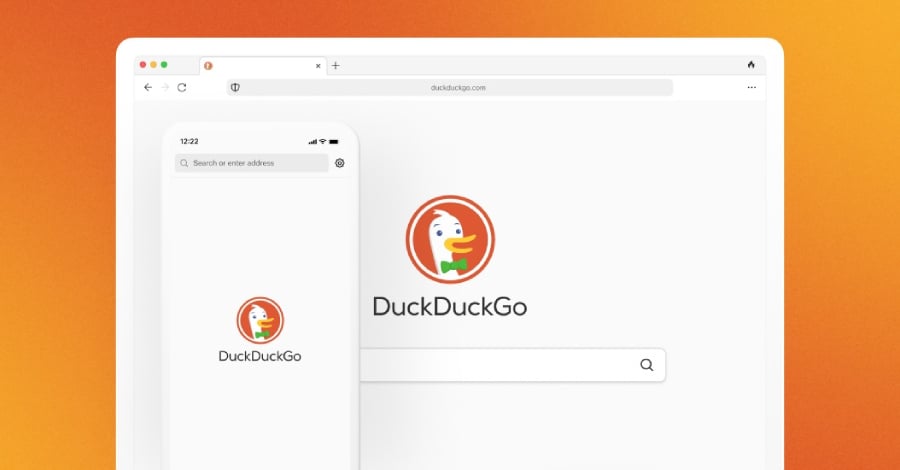
DuckDuckGo’s browser is taking aim at one of the web’s most familiar annoyances: video ads.

The company said its browser now blocks most ads that play before and during online videos, including on YouTube. The feature is enabled by default on Windows, Mac, and iPhone, while Android users need to turn it on manually for now; it can always be deactivated or reactivated if needed.

A recent post on DuckDuckGo’s official blog reads, in part: “Tired of ads interrupting your videos? Us, too. The DuckDuckGo browser now blocks most video ads, including on YouTube! This new feature blocks ads that run before and during your videos, letting you watch YouTube without the interruptions.”

What else DuckDuckGo offers

In a world dominated by Google Chrome, Apple Safari, Microsoft Edge, and Mozilla Firefox, DuckDuckGo’s Privacy Browser stands out as an alternative to the mainstream offerings.

Not only does it include native integration with the company’s search engine — letting you search the web securely — but it also offers a host of other privacy-related features that provide maximum protection when using the internet.

  • Enhanced protection against online tracking: Integrated features help protect you from third-party trackers on the web and within the apps you download.
  • Built-in email security: Free email forwarding eliminates hidden trackers and lets you create unique email addresses as needed.
  • Improved encryption: Their proprietary Smarter Encryption technology ensures that connections are encrypted whenever possible.

Whether you want to hide your identity from hackers, protect your data from thieves, or just watch your favorite videos without invasive advertisements, DuckDuckGo is the solution for you.

Must-read security coverage

Why the update matters for users

For everyday users, DuckDuckGo’s update is really about control. Video ads are often treated as the price of using free platforms, but they can also slow down browsing, interrupt viewing, and contribute to the broader tracking systems that follow users across the web.

DuckDuckGo is positioning its browser as a way to reduce some of that friction in one place. Instead of installing separate extensions or changing settings across multiple services, users get video ad blocking alongside the browser’s existing privacy tools, including tracker blocking, email protection, and improved encryption.

That convenience comes with a trade-off. Blocking video ads may make YouTube and other streaming sites feel cleaner and faster, but it can also affect how creators earn money from ad-supported views. For users, the choice comes down to what they value most: a quieter, more private browsing experience; direct support for creators through ads or subscriptions; or a mix of both.

Although they haven’t been around as long as some of the better-known names in the tech industry, the team at DuckDuckGo shows no signs of slowing down anytime soon.

Share. Facebook Twitter Pinterest LinkedIn Tumblr Email

Related Posts

Samsung Galaxy Z Fold 8 review: a shot in the arm for the foldables market

August 3, 2026

‘It’s without a doubt one of the least detrimental privacy-focused solutions to your mobile experience’: I spent a month testing GrapheneOS — and it almost made me ditch my Android phone entirely

July 30, 2026

Apple Fixes Hide My Email Bug After Yearlong Delay

July 27, 2026
Leave A Reply Cancel Reply

Comment moderation is enabled. Your comment may take some time to appear.

This site uses Akismet to reduce spam. Learn how your comment data is processed.

Latest
  • Samsung Galaxy Z Fold 8 review: a shot in the arm for the foldables market August 3, 2026
  • Best MagSafe wallets of 2026: Expert tested and reviewed August 3, 2026
  • ‘It’s without a doubt one of the least detrimental privacy-focused solutions to your mobile experience’: I spent a month testing GrapheneOS — and it almost made me ditch my Android phone entirely July 30, 2026
  • Low-power AI could define the next era of global innovation July 30, 2026
  • NYT Strands hints and answers for Wednesday, July 29 (game #878) July 29, 2026
We are social
  • Facebook
  • Twitter
  • Pinterest
  • Instagram
  • YouTube
  • Vimeo

Subscribe to Updates

Get the latest creative news from Techzlab.

Tags
AI Amazon Anthropic Apple artificial intelligence ChatGPT cybersecurity data centers defense tech Donald Trump electric vehicles Elon Musk evergreens EVs Exclusive Fintech gemini Google Grok In Brief India Layoffs Meta Microsoft Mythos nvidia nvidia gtc Nvidia GTC 2026 Openai Perplexity Polymarket Redwood Materials sam altman Sequoia Capital siri social media Softbank SpaceX Spotify Tesla Tim Cook Truecaller Uber Windows X
Archives
Quick Link
  • Apps (403)
  • From the Editor (4)
  • Gaming (382)
  • Laptops (405)
  • Latest in Tech (404)
  • Mobiles (405)
  • Money (228)
  • Tech Insights (406)
Don't miss

Best MagSafe wallets of 2026: Expert tested and reviewed

August 3, 2026

I tested a premium Linux laptop that’s as light as it is powerful – here’s why I love it

July 29, 2026

Is the Electric Trike the Next Big Thing in Shared Micromobility?

July 28, 2026
Follow us
  • Facebook
  • Twitter
  • Pinterest
  • Instagram
  • YouTube
  • Vimeo
© 2026 Techzlab.com Designed and Developed by WebExpert.
  • Home
  • From the Editor
  • Money
  • Privacy Policy
  • Contact

Type above and press Enter to search. Press Esc to cancel.