



Did you receive a new Apple product over the holidays? Lucky you! Have you seen ads for Apple Intelligence everywhere, and you’re looking forward to trying Apple’s AI features? We’re here to help. Whether you received an A17 Pro iPad mini, an iPhone 16, or an M4 Mac mini this festive season, there are plenty of Apple Intelligence features waiting to be discovered on your new Apple device.
We’ve selected the five best Apple Intelligence features for you to try below, but remember, more will be released over the course of 2025, so you’re just getting started on your Apple Intelligence journey. Here are our picks for the Apple AI-fueled features you should try on your new iPhone, iPad, or Mac.
1. Genmoji (iPhone and iPad)
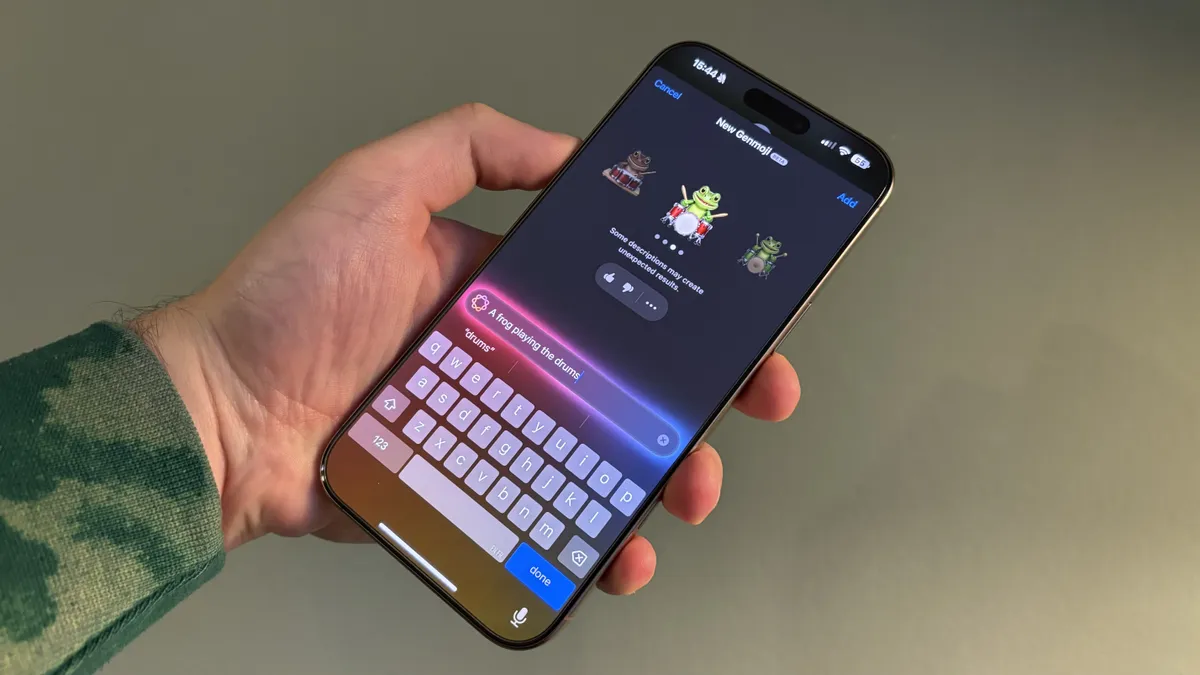
The best place to start with Apple Intelligence is Genmoji, Apple’s take on AI-generated emojis. It’s a fun tool that all the family will fall in love with, it’s easy to use, and most of all, it’s genuinely useful.
Whether you want to create emojis of lions on skateboards or Santa on his sleigh, the possibilities are endless. Genmoji even allows you to create emojis based on people in your Photos library, which makes for hilarious results that will go down a treat in any of your group chats.
Genmoji is currently only available on compatible iPhones and iPads running iOS 18.2 or iPadOS 18.2. If you received a Mac for Christmas, you’ll need to wait until macOS Sequoia 15.3 launches at some point in early 2025.
How to use Genmoji

Writing Tools works on iPhone, iPad, and Mac, but it really shines on Apple’s laptops and desktop computers. Designed to help you proofread and rewrite text to get it looking and sounding as good as possible, Writing Tools is essentially Apple’s take on Grammarly, but built in.
You’ll find Writing Tools scattered throughout iOS, iPadOS, and macOS – just highlight some text and look for Writing Tools where you’d usually find copy or paste. It’s set to become an essential tool for lots of people, and will go down a treat for students who need an extra pair of eyes on their work – think of it as a supercharged autocorrect.
3. Clean Up (iPhone, iPad, Mac)

Clean Up will help fix up your festive photos and other snaps by enabling you to easily remove elements from the background. Whether that’s wrapping paper on the floor or clutter that looks out of place, Apple Intelligence can make your photos much easier on the eye.
This AI tool works similarly to Google’s Magic Eraser, and you’ll find it in the Photos app in the same photo-editing suite where you’d find iPhone editing tools. The best iPhones are often our most-used cameras, so the addition of a powerful AI editing tool is hugely helpful.
4. ChatGPT in the new-look Siri
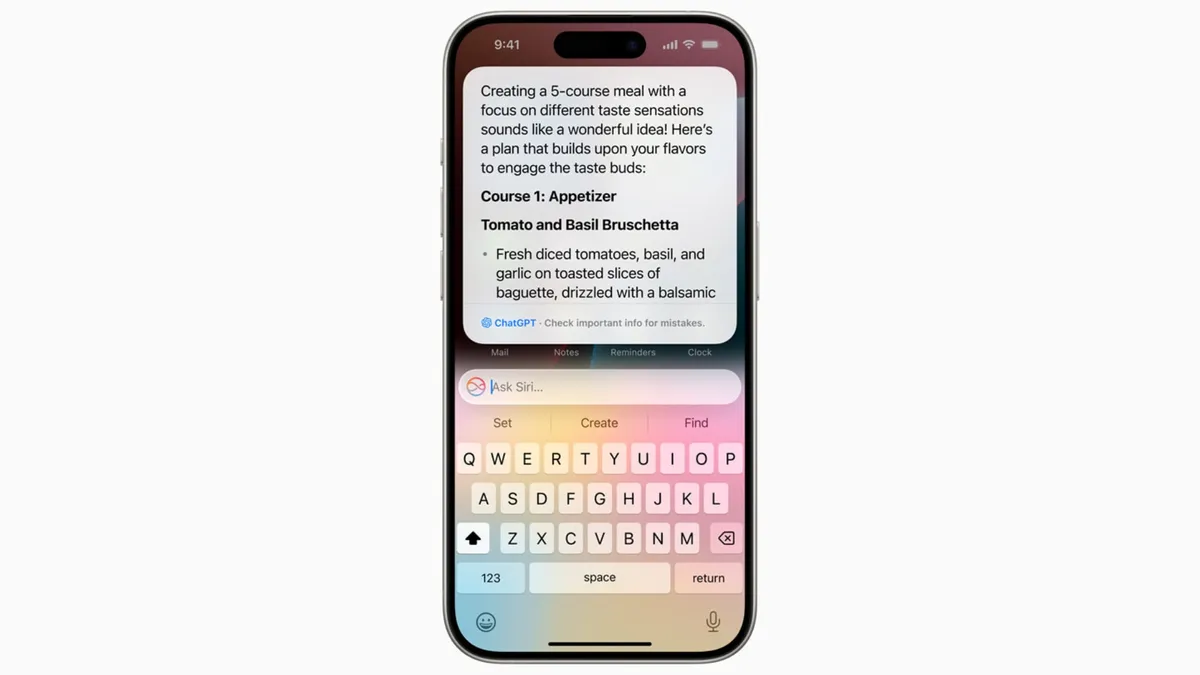
Have you been waiting for Siri to level up? ChatGPT is now available inside Apple’s voice assistant, meaning that even highly complex questions can be answered using OpenAI’s AI model.
It’s built intuitively into Siri, you can ask a question and then opt-in to send that prompt to ChatGPT’s servers, or just ask Siri to ask ChatGPT directly and skip Apple’s answer altogether.
Siri will receive a major upgrade next year, including on-screen awareness and personal context, so expect your iPhone, iPad, or Mac’s voice assistant to improve even further in 2025.
5. Notification summaries (iPhone, iPad, Mac)

One of the first Apple Intelligence features you’ll notice is Notification summaries, and so far I’ve had a very love/hate relationship with the summary tool. Apple Intelligence now groups your notifications together and summarizes them, so you can get a glimpse at them without opening your Notification Centre.
While it works most of the time, there have been concerns about how Apple summarizes important notifications, with one user even going viral because Apple Intelligence made his breakup with his girlfriend far more brutal than it needed to be.
The feature will likely improve over time, and you can simply turn Notification summaries off in settings if you want. That said, we suggest you give it a try – you might just love Apple Intelligence’s summarizing capabilities.
Bonus. Visual Intelligence (iPhone 16, 16 Pro)

Were you lucky enough to get an iPhone 16 for Christmas? If so you’ve got a bonus Apple Intelligence feature to test out on your shiny new device. Visual Intelligence lets you snap a photo of anything using Camera Control, the ‘button’ on the right side of your iPhone, and then ask Google or ChatGPT for information about the image.
It’s a handy tool that’s well implemented into the iPhone 16’s hardware, and I’ve found I use it frequently because of how quickly it can be accessed. This feature is exclusive to the latest iPhones with the Camera Control, but perhaps we’ll also see it on iPads at some point in the future.